In 2022, 15 billion unwanted messages a day, spams, phishings and malwares were blocked by Gmail. In 2020 were blocked by Gmail 100 million phishing emails.
1.5 million new phishing websites are made monthly. (Swiss Cyber Institute)
How to defend your organization against email phishing attacks.
Defend your organization by providing a multi-layered attack mitigation suite to improve your
organization’s resilience against phishing attempts while minimizing disruption to user productivity.
The defenses proposed in this guide are also useful against other types of cyberattacks and will help your organization become more resilient overall.
This guidance is designed by UK Government cyber security experts at the NCSC and is aimed at
technology, operations or security professionals responsible for designing and implementing
defenses for medium to large organizations. You will find a real-world example that illustrates how a multi-layered approach prevented a phishing attack from damaging a major organization in the financial sector. The mitigations contained in this guide require a combination of technology, process, and people approaches. To be truly effective, your defenses must be taken as a whole. For example, if you want to encourage people to report suspicious emails, you need to back this up with the technical resources and process behind it that will provide timely feedback on the email they have sent.
What is phishing?
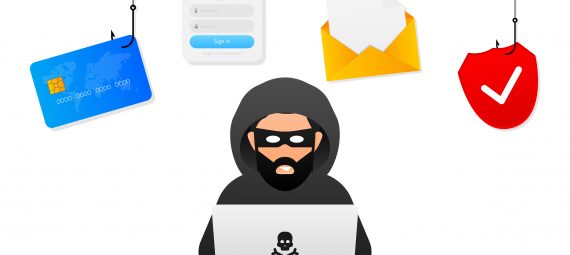
Phishing occurs when attackers try to trick users into taking a “certain action”, such as clicking on a bad link that downloads malware or directs them to a questionable website.
Phishing can be carried out via text message, social media, or phone, but the term “phishing” is
mainly used to describe attacks that come via email. Phishing emails can reach millions of users
directly and hide among the vast amount of innocuous emails that busy users receive. Attacks can install malware (such as ransomware), sabotage systems or steal intellectual property and money.
Phishing emails can hit organizations of any size and type. You may get caught up in a mass campaign (where the attacker is just trying to get new passwords or make easy money), or it may be the first step in a targeted attack against your company where the goal may be something much more specific, such as stealing sensitive data. In a targeted campaign, an attacker can use information about your employees or company to make their messaging even more compelling and realistic and will be crafted to align with the interests of a specific individual or organization. This is commonly referred to as spear phishing.
Any organization can play a role
The mitigations described here are mostly focused on preventing the impact of phishing attacks in your organization. For example, setting up DMARC will prevent phishers from spoofing your domain (domain spoofing means that their emails will look like they come from your organization).
This brings a number of benefits:
1) Your own company’s emails are more likely to make it into the inbox of recipients rather than
being filtered as spam.
2) From a reputational perspective, no organization wants its name to become synonymous
with scams and fraudulent emails.
3) The wider community will also benefit from having your contacts (such as suppliers, partners
and customers) registered with DMARC. This can give you much more confidence that the
email asking for information (or money) is actually coming from the people and places you
expect the email from.
Defending against phishing:
Why you need a multi-layered approach
Typical phishing defenses often rely solely on users being able to spot phishing emails. This approach will have limited success. Instead, you should expand your defenses to include more technical measures. This will improve your resistance to phishing attacks without disrupting your users’ productivity. You will have several opportunities to detect a phishing attack and then stop it before it causes damage. You also acknowledge that some attacks will get through, this will help you plan for incidents and minimize the damage caused.
This guide breaks down threat mitigation into four layers on which you can build your defenses:
1) Make it harder for attackers to access your users
2) Help users identify and report suspected phishing emails
3) Protect your organization from the effects of undetected phishing emails
4) Respond quickly to incidents
Some of the proposed mitigations may not be feasible in the context of your organization. If you cannot implement them all, try to address at least some of the attacking threat mitigations at each layer.
Four layers of mitigation
Layer 1:
Make it difficult for attackers to access your users
This section describes defenses that can make it difficult for attackers to access your end users.
Don’t allow your email addresses to be a source for attackers Attackers “spoof” trusted emails, making their emails look like they were sent by reputable organizations (like yours). These fake emails can be used to attack your customers or people in your organization.
Mitigate spoofed emails from your domains by using the DMARC, SPF, and DKIM anti-spoofing
controls and encourage your contacts (partners, vendors, etc.) to do the same.
Limit the information available to attackers
Attackers use publicly available information about your organization and users to make their phishing (and especially spear phishing) messages more convincing. This is often gleaned from your website and social media accounts (information known as your “digital footprint”).
How do I do it?
- Consider what your site visitors need to know and which details are unnecessary (but could be useful to attackers)? This is especially important for high-profile members of your organization, as this information could be used to create personalized “whaling attacks” (whale phishing is a type of phishing that targets an organization’s big fish, such as a board member who has access to valuable assets).
- Help your employees understand how sharing their personal information can affect them
and your organization, and develop this into a clear digital footprint policy for all users.
- Be aware of what your partners and suppliers are revealing about your organization online.
Filter or block incoming phishing emails
Filtering or blocking phishing email before it reaches your users reduces the likelihood of a phishing incident and reduces the amount of time users need to spend checking and reporting
How do I do it?
- Check all incoming emails for spam, phishing, and malware. Emails suspected of phishing
should be filtered or blocked before they reach your user. Ideally, this should be done on the server, but it can also be done on end-user devices (i.e., the mail client)
- Incoming emails should adhere to the policies and standards of anti-counterfeiting protection in the sender’s domain. If the sender has DMARC rules in place with quarantine or rejection rules set, you should follow these requirements if authentication checks fail.
- If you use a cloud-based email provider, ensure that its filtering/blocking service is sufficient for your needs and that it is enabled by default for all your users. If you host your own email server, make sure that a proven filtering/blocking service is available. This can be implemented locally and/or purchased as a cloud service. Again, make sure it is enabled by default for all your users.
- Filtering services typically send emails to spam/junk folders, while blocking services ensures they never reach your users. Rules specifying blocking or filtering need to be fine-tuned for your organization’s needs. If you filter all suspicious emails into spam/junk folders, users will have to manage a large volume of emails, increasing their workload and leaving open the possibility of clicking on a malicious link. However, if you block all suspicious emails, some legitimate emails may be lost. You may need to change the rules over time to ensure the best compromise and to respond to your company’s changing needs and ways of working.
- Email filtering on end-user devices can offer an additional layer of defense against malicious emails. However, this should not compensate for ineffective server-based measures that could completely block large amounts of incoming phishing emails.
- Emails can be filtered or blocked using a variety of techniques, including IP addresses, domain names, allowed/denied email lists, public spam and forwarding lists, attachment types, and malware detection.
Layer 2:
Help users identify and report suspicious phishing emails
This section describes how to help your employees identify phishing emails and improve reporting morale.
Carefully consider your approach to phishing training
Training your users – especially in the form of phishing simulations – is a layer that is often emphasized in phishing defenses. Your users can’t compensate for cybersecurity weaknesses elsewhere. Answering emails and clicking links is a huge part of the modern workplace, so its unrealistic to expect users to be constantly vigilant.
Detecting phishing emails can sometimes be really hard, and spear phishing is even harder to detect. The advice given in many training packages, based on standard warnings and signs, will help your users detect some phishing emails, but cannot teach everyone to spot all phishing emails.
How do I do it?
- Be clear that phishing messages can be difficult to detect and you don’t expect people to be able to identify them 100% of the time. Never punish users who have difficulty recognizing phishing emails, it’s a bad idea for many reasons. Users who fear retaliation will not report errors immediately, if at all.
- Training should encourage your users’ willingness to report future incidents and reassure them that it’s okay to ask for additional support when something looks suspicious. This information needs to be embedded in all departments including HR, support, and senior management.
- Make sure your users understand the nature of the threat that phishing poses, especially those departments that may be most vulnerable to it. Customer-facing departments may receive large volumes of unsolicited emails, while employees with permissions to access sensitive information, manage financial assets, or administer IT systems will be of greater interest to an attacker (and may be the target of a sophisticated phishing campaign). Ensure these more vulnerable employees are aware of the risks and offer them additional support.
- Help your users detect common features of phishing messages, such as urgent or authoritative prompts that compel users to act.
- Using phishing simulations will not improve your organization’s security. Some companies have user training that gets participants to create their own phishing emails, giving them a much richer perspective on the techniques used. Others experiment with workshops, quizzes, and gamification to create friendly competition among peers (rather than an “us vs. them” situation with security).
Make it easier for your users to spot fraudulent requests
Attackers can abuse processes to trick users into handing over information (including passwords) or making unauthorized payments. Consider which processes attackers might mimic and how to check and improve them to make it easier to detect phishing attacks.
In addition, think about how emails you send to suppliers and customers will be received. Can your recipients easily distinguish your genuine email from a phishing attack? After all, you can’t expect their users (like yours) to look for and recognize every hint of phishing. Don’t assume that providing personal information will verify your identity; stolen or researched information is used by phishers to make their emails more convincing.
How do I do it?
- Ensure that staff are familiar with common working practices on key tasks (such as making payments) so that they are better able to spot unusual requests.
- Increase process resilience to phishing by ensuring all-important email requests are verified by a second type of communication (such as a text message, phone call, account login, or confirmation by mail or in person. Another example of information exchange is by using a different method of file sharing, such as a cloud-based account with controlled access instead of sending files as attachments.
- Think about how your outbound communications appear to suppliers and customers. Does the recipient expect an email and recognize your email address? Do they have any way of knowing if the links are genuine?
- Consider telling your suppliers or customers what to watch out for (for example, “we will never ask for your password” or “our bank details will never change”). This gives the recipient another chance to detect phishing.
Create an environment that encourages users to report phishing attempts
Creating an environment in your organization with a culture in which users can report phishing
attempts (including those that are clicked on) will give you important information about what types of phishing attacks are being used. You can also learn what types of emails are mistaken for phishing and what impact this can have on your organization.
How do I do it?
- Create an effective process for users to report that they believe a phishing attempt may have gotten past your organization’s technical defenses. Is the process clear, simple, and convenient to use? Do users have confidence that the report will be acted upon?
- Quickly provide feedback on what steps have been taken and make it clear that their contributions make a difference.
- Think about how you can use informal communication channels (through colleagues, teams, or internal message boards) to create an environment where it is easy for users to ‘speak up’ for support and guidance when they may be faced with a phishing attempt.
- Avoid creating a culture of punishment or blame-focused environments around phishing. It is important that users feel supported to speak up, even if they have ‘clicked’ and later believe something may be suspicious.
Layer 3:
Protect your organization from the effects of undetected phishing emails
Because it is impossible to stop all attacks, this section describes how to minimize the impact of
undetected phishing emails.
Protect your devices from malware
Malware is often hidden in phishing emails or on websites to which the emails link. Well-configured devices and good endpoint protection (such as employee computers) can stop malware from installing, even if someone clicks on the email. There are many other defenses against malware, and you will need to consider your security needs according to how you work to ensure you have the right approach. Some protections are specific to particular threats (for example, disabling macros) and some may not be suitable for all devices (anti-malware software may be pre-installed on some devices and not needed on others). Finally, the impact of malware on your wider system will depend on how your system has been set up.
How do I do it?
- Prevent attackers from exploiting known vulnerabilities by using only software and devices supported by the manufacturer. Make sure software and devices are always up-to-date with the latest patches.
- Prevent users from inadvertently installing malware from phishing emails by limiting administrator accounts to those administrators who really need those permissions. People with administrator accounts should not use these accounts to check email or browse the web.
Protect your users from malicious websites
Links to malicious websites are often a key part of a phishing email. However, if the link cannot open the website, the attack cannot proceed.
How do I do this?
- Most modern, up-to-date browsers will block known phishing and malware sites. However, this is not always the case on mobile devices.
- Organizations should run a proxy service, either on-premises or in the cloud, to block any attempt to access websites that have been identified as hosting malware or phishing campaigns.
- Public sector organizations should use the so-called Public Sector DNS service (PDNS), or public sector DNS service, to prevent users from using domains known to be malicious.
Protect your accounts with effective authentication and authorization
Passwords are a key target for attackers, especially when it comes to accounts with privileges such as accessing sensitive information, handling financial assets or managing IT systems. You should make your login processes to all accounts are more resistant to phishing by limiting the number of accounts with privileged access to an absolute minimum.
How do I do it?
- Add an extra layer of security to your login process by setting up multi-factor authentication (MFA), also called “two-factor authentication (2SV or 2FA)” for some web services. The second factor means that an attacker cannot gain access to your account using only a stolen password.
- Consider using password managers, some of which can recognize real websites and will not auto-populate fake websites. Similarly, you could use the single sign-on method (where the device automatically recognizes and logs into the real website). Adopting these techniques can mean that manually entering passwords becomes uncommon and the user can more easily spot a suspicious request.
- Consider using alternative login mechanisms (such as biometrics or smart cards), which require more effort to steal than passwords.
- The damage an attacker can cause is proportional to the permissions assigned to the accounts that were stolen. Only grant privileged access to people who absolutely need it for their roles. Check them regularly and revoke permissions when they are no longer needed.
- Remove or suspend accounts that are no longer used, for example when a member of your organization leaves or moves to a new role.
- Consider implementing a password policy check. Doing so can reduce, for example, the likelihood that employees will reuse the same passwords across home and work accounts.
Layer 4:
Respond quickly to incidents
All organizations will experience security incidents at some point, so make sure you’re able to detect and respond to them quickly.
Detect incidents quickly
Knowing about an incident sooner rather than later allows you to limit the damage it can cause.
How do I do it?
- Ensure that users know in advance how they can report incidents. Keep in mind that if their device is compromised, they may not have access to normal means of communication, so have multiple, diverse means of incident communication.
- Use a “security logging system” security monitoring system to catch incidents that your users don’t know about. You can use monitoring tools built into your standard services (such as cloud-based email security dashboards) to collect information what is happening on your network, so you can create an internal team or hire a specialist company to monitor your network.
- Once the monitoring feature is set up, it needs to be kept up-to-date to ensure its effectiveness.
Have an incident response plan
Once an incident is discovered, you need to know what to do to prevent further damage as soon as possible.
How do I do it?
- Make sure your organization knows what to do in the event of different types of incidents. Such as: how do you force a password reset if a password is compromised? Who is responsible for removing malware from the device and how will they do it?
- Incident response plans should be rehearsed before an incident occurs.
A real-world example:
How multi-layered anti-phishing measures countered the Dridex malware The following real-world example illustrates how a company in the financial sector used effective layered measures to defend against phishing attacks. Relying on any single layer of defense would have circumvented some attacks, or in the case of relying on quick cleanup after the fact, would have been very costly and disproportionately time-consuming.
The company, which has around 4,000 employees, received 1,800 emails containing a number of variants of the Dridex malware. The email claimed to be an invoice requiring urgent attention, which was relevant to the role of some recipients. It was not targeted at individual users with any personal details but was well written with good spelling and grammar.
Summary of the phishing attack:
As part of this campaign, 1,800 emails were sent to the organization.
1,750 were stopped by email filtering, which identified the presence of malware.
This left 50 emails that arrived in users’ inboxes.
Of these, 36 were either ignored by users or reported using a feature in their email client. 25
were reported in total, including some post clicks; this was the first indication that the attack
had gotten past the initial layer of defense.
This left 14 emails that were clicked on that triggered the malware.
The 13 malware installations failed to run as intended because the devices had been
updated.
1 instance of malware was installed.
A malware attempt to contact its operator was detected, reported, and blocked.
1 device was seized, examined, and cleaned within a few hours.
